Window 10 IoT Core & Raspberry PI 3- HelloWorld Apps
Dec 8, 2018IoTRaspberry PIWindow 10 IoT Core
AI links open with a title + excerpt (these tools can't fetch the page themselves) — use "Copy full article" to paste the complete text for a fuller summary.
In this blog, exploring how to run & deploy the hello world application into the window 10 IoT Core using raspberry pi 3
- Open the IoT Core Dashboard & select Try some samples
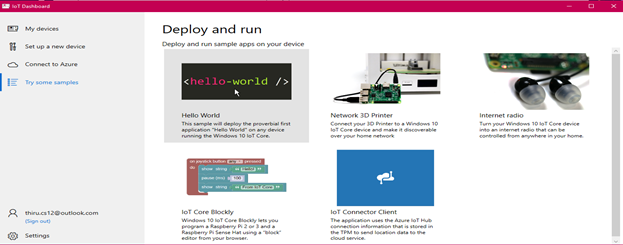
- Select hello-world program & select your device in dropdown Lists
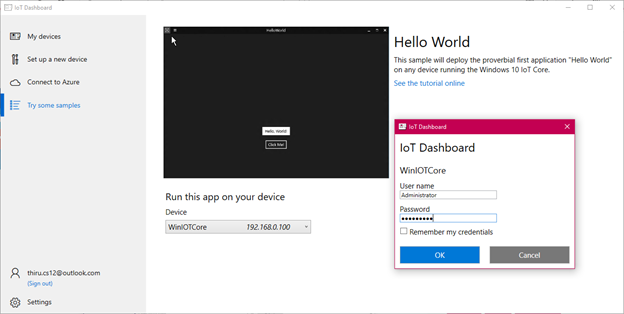
1.Enter your device credentials
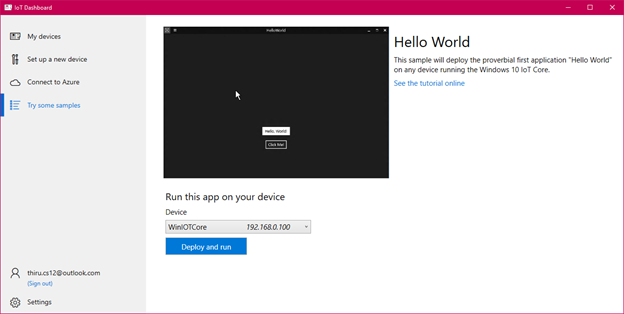
2.Click Deploy & Run Button
- Once done the deployment you can see the running application over the application & portal
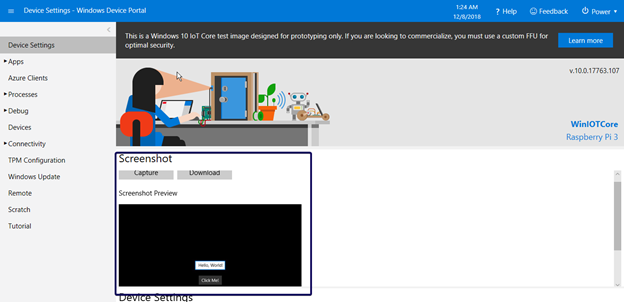
- Select Apps & click Apps manager. It will list all the apps name
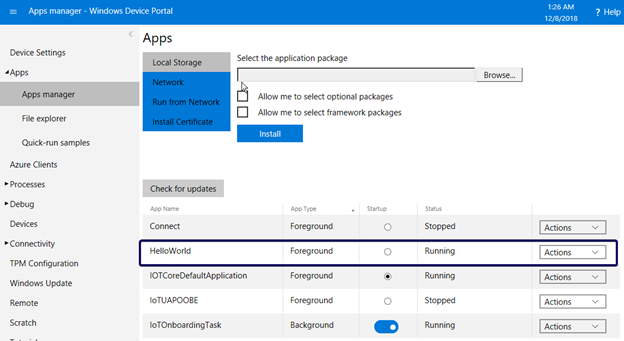
- Currently HelloWorld Application is running. You can more option in the actions list
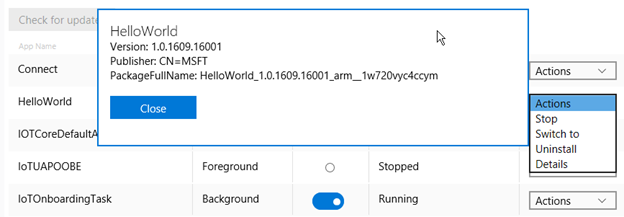
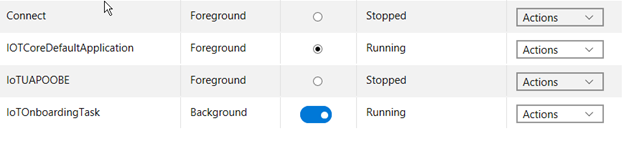
- Select uninstall. You confirm uninstall in the popup. The application will be removed from IoT device
#Raspberry PI#Window 10 IoT Core
Comments
Be the first to comment.