From Front Desk to Full Log: Inside Our Visitor Management System
AI links open with a title + excerpt (these tools can't fetch the page themselves) — use "Copy full article" to paste the complete text for a fuller summary.
From Front Desk to Full Log: Inside Our Visitor Management System
Every office deals with the same front-desk friction: guests waiting at reception while someone tracks down their host, paper sign-in sheets nobody can search, and zero visibility into who's actually in the building right now. We built a Visitor Management System that walks a guest through the entire journey — invite to badge to checkout — and it's live as an interactive demo.
Live demo: techkolors.com/demo/visitor-management
The Visitor Journey We Designed Around
Rather than bolting features onto a generic sign-in sheet, we modeled the system around the five stages every visit actually goes through:
| Stage | What Happens | In Our System |
|---|---|---|
| Pre-Registration | Host sends an invite; guest details are captured ahead of time | Pre-registration form generates a unique QR pass tied to the visit |
| Arrival & Check-in | Guest arrives and checks in | Front-desk staff search by name or QR code, or check in a walk-in on the spot |
| Verification & Compliance | ID checked, watchlist screened, waivers signed | Live watchlist screening, ID-verified and NDA-signed checkboxes gate the check-in |
| Access & Alerting | Host is notified, badge is issued | Badge number generated instantly; host gets a simulated SMS/Slack alert |
| Checkout & Logging | Guest leaves, occupancy stays accurate | One-click checkout with a full, filterable visit log and real-time on-site count |
A Tour of the System
Dashboard Overview
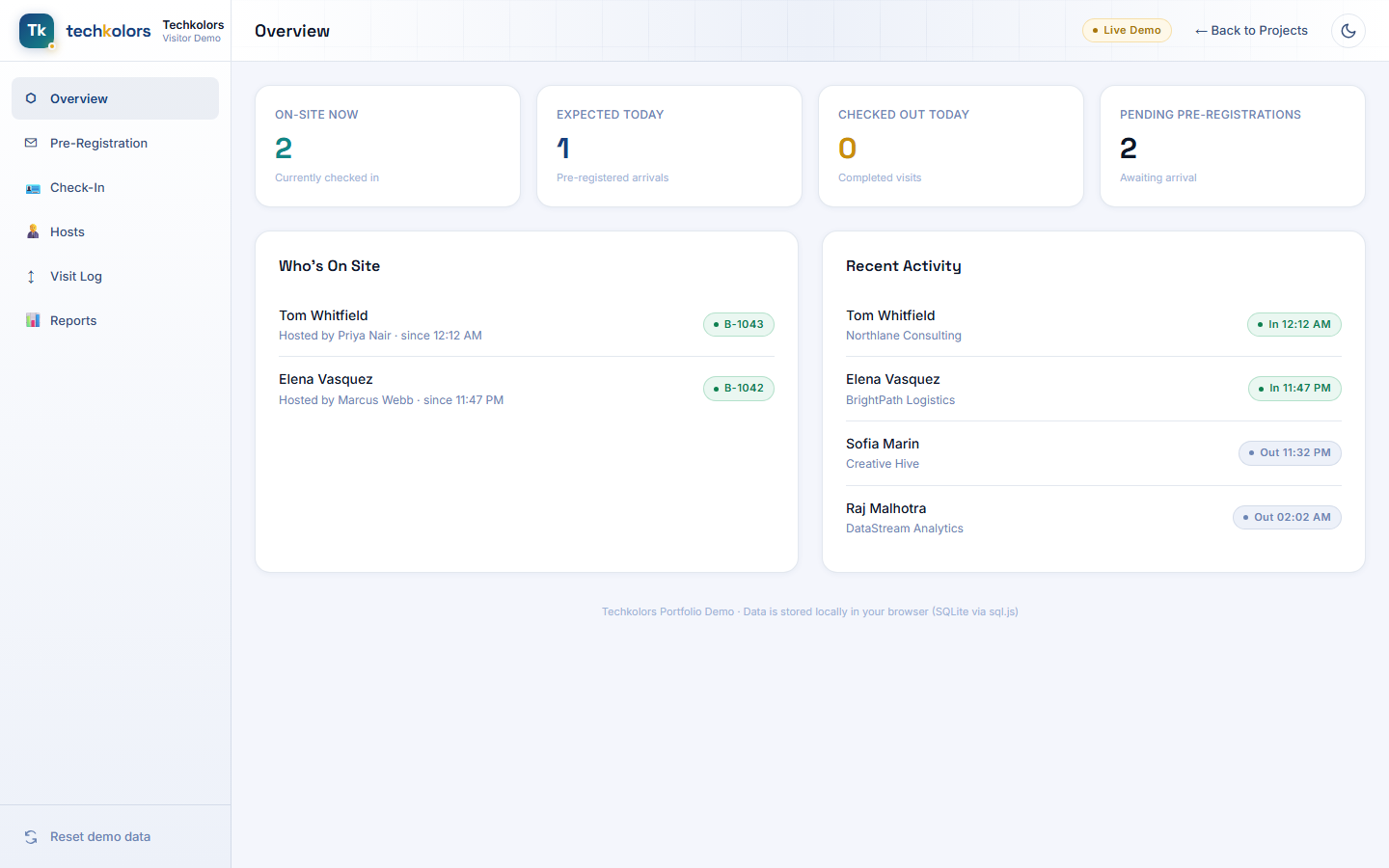
Front-desk staff and facilities managers need one number above all others: who's in the building right now. The dashboard leads with on-site count, today's expected arrivals, today's completed visits, and pending pre-registrations — backed by a live "Who's On Site" list and a recent-activity feed.
Pre-Registration
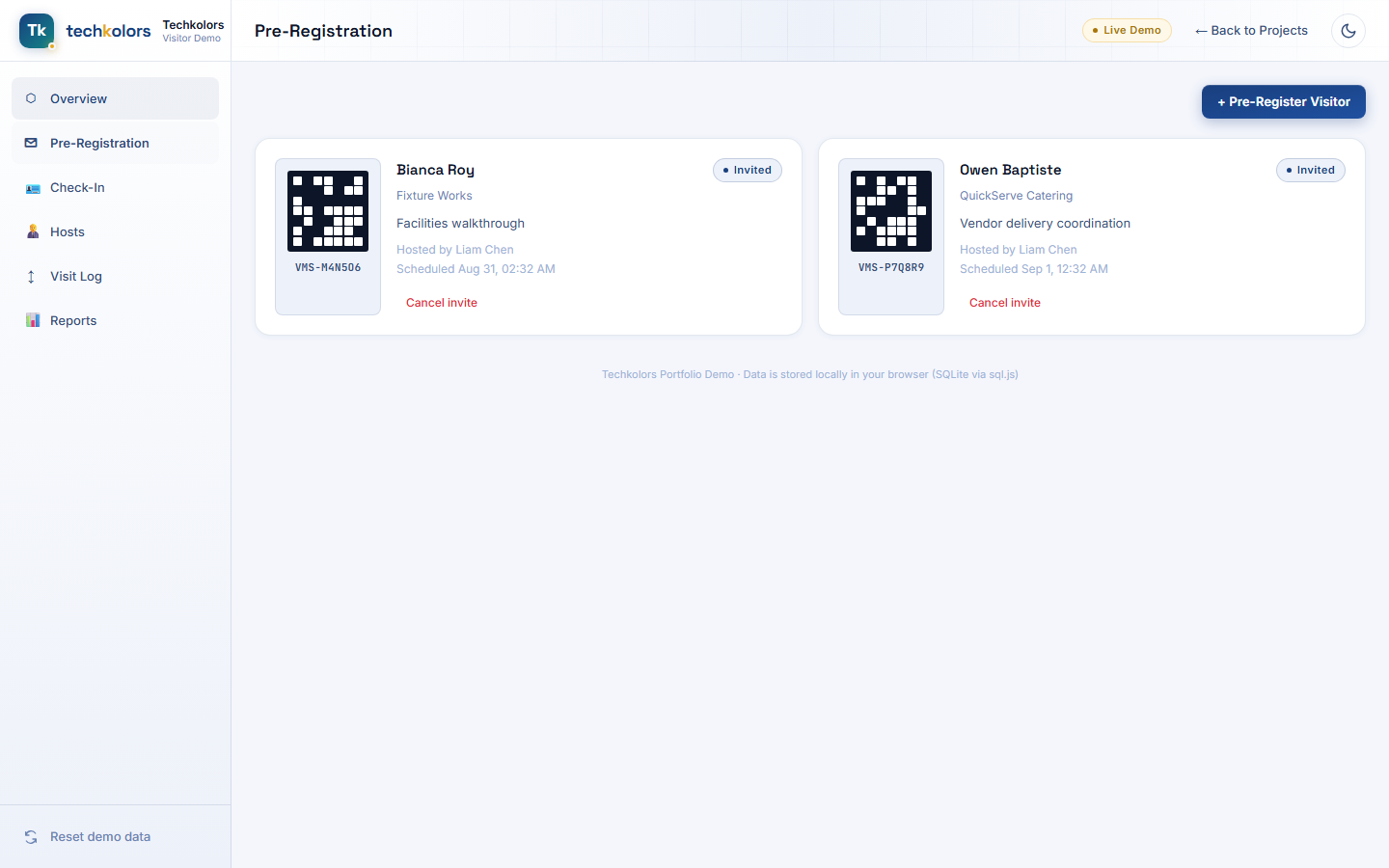
Hosts pre-register guests ahead of time — name, company, purpose, scheduled arrival — and the system generates a unique QR pass for each invite, ready to be scanned at the door.
Check-In Desk
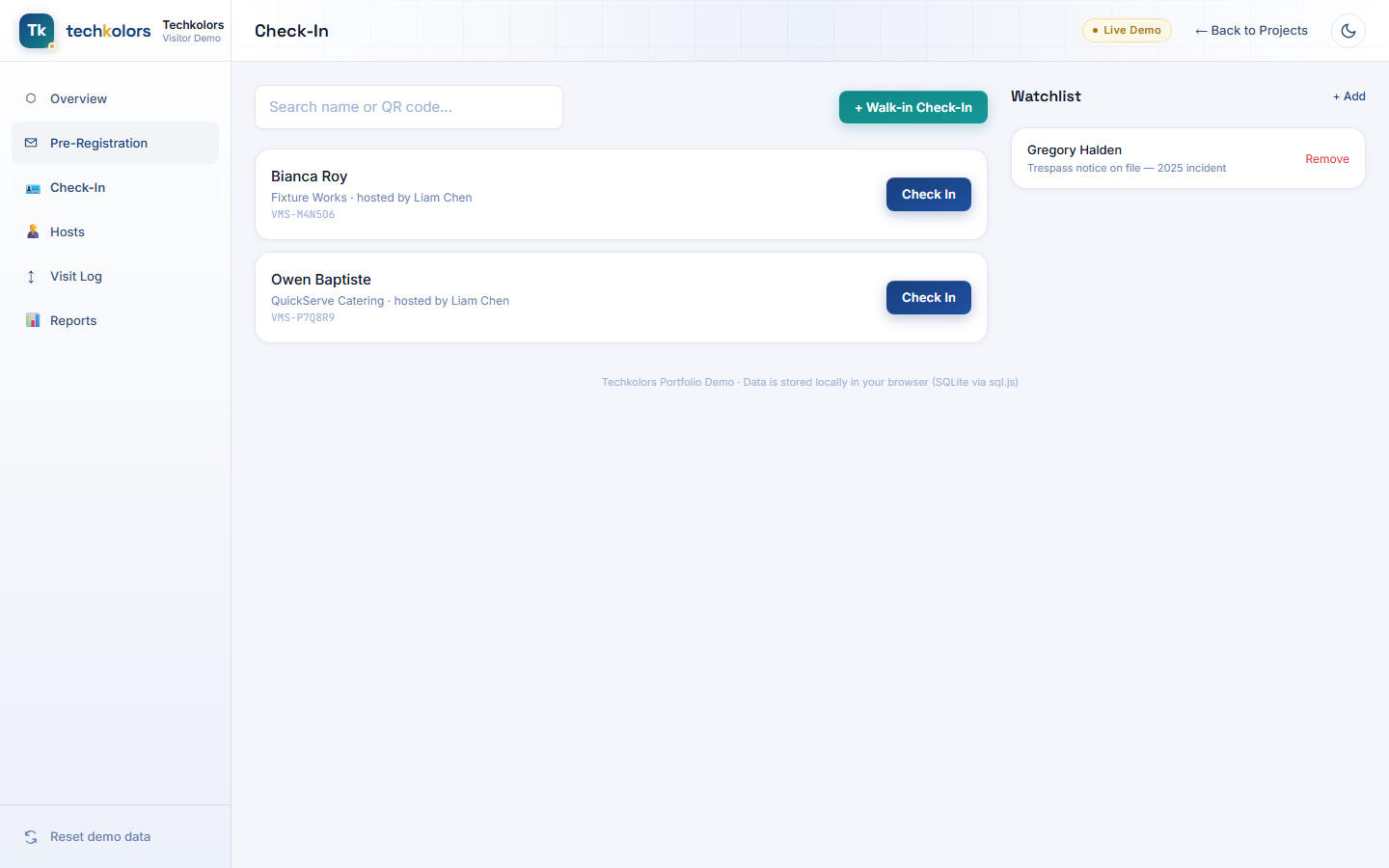
This is the front-desk view: search for a pre-registered guest by name or QR code, or start a walk-in check-in for an unscheduled visitor — with the day's watchlist visible right alongside for quick reference.
Verification & Compliance
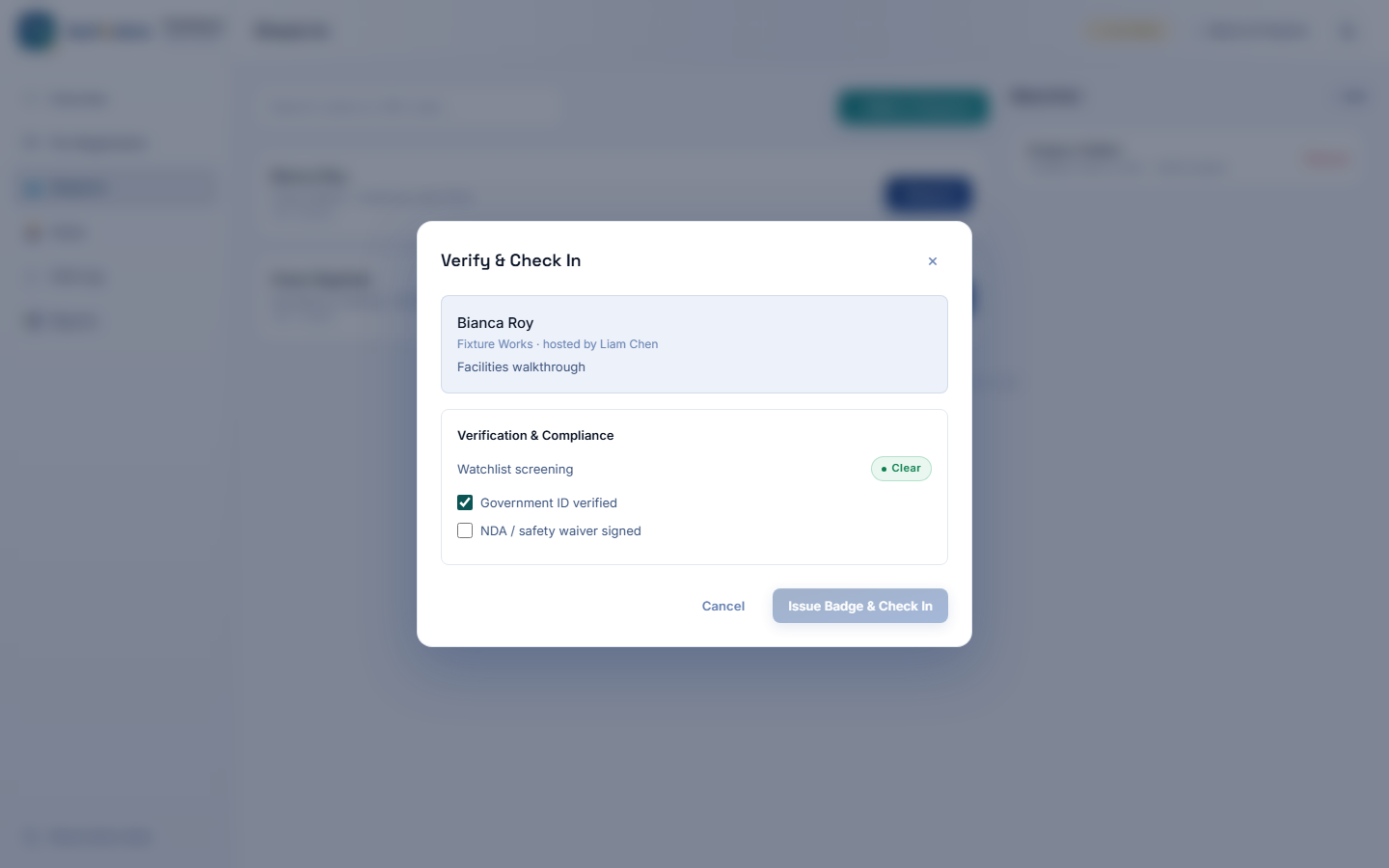
This is the part that actually matters for security and compliance. The moment a name is entered, it's screened live against the watchlist — flagged instantly if there's a match. Check-in is gated behind ID verification and a signed NDA/waiver, and a flagged visitor can only proceed through an explicit security-manager override, which is logged.
Reports
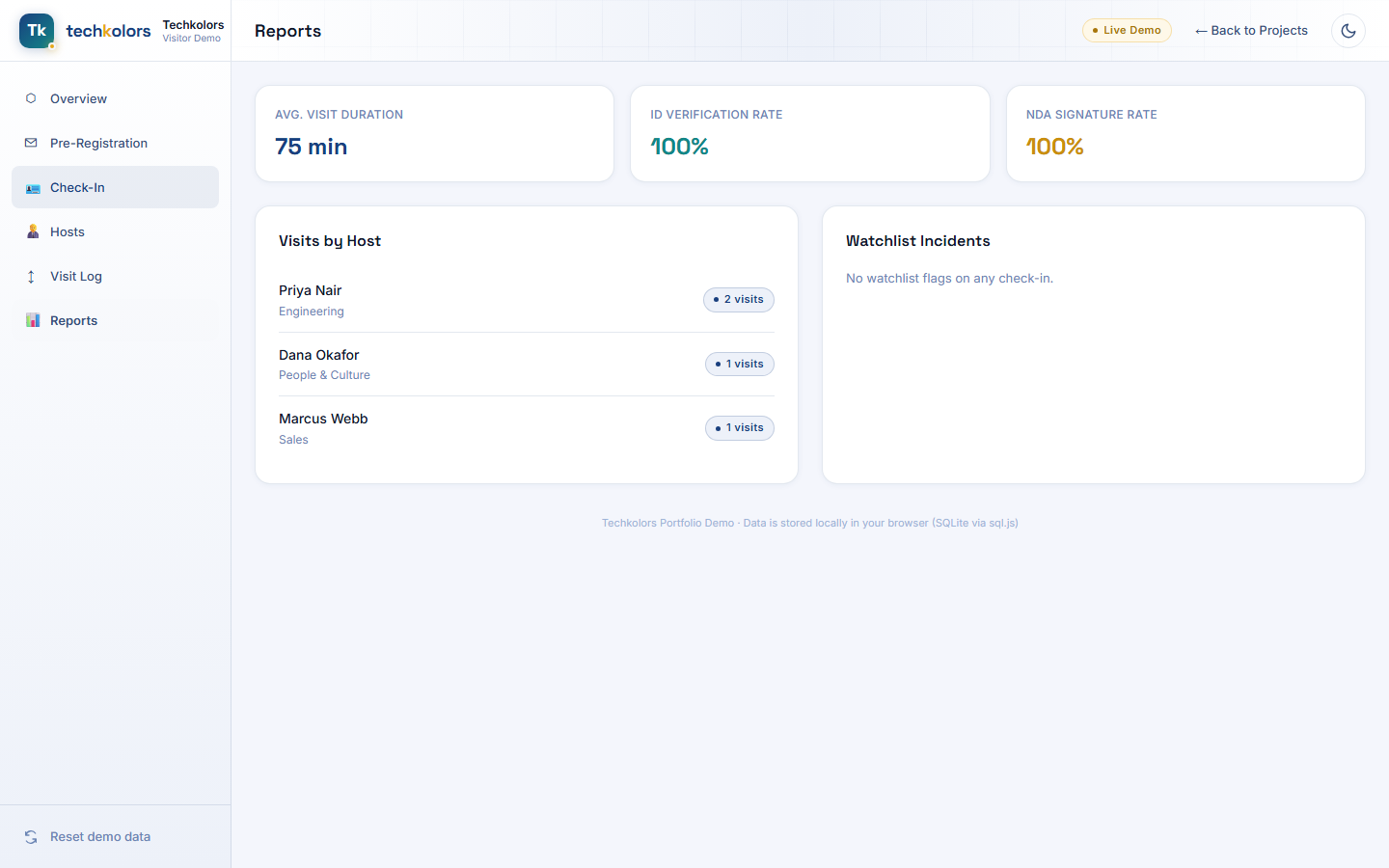
Facilities and security teams get the numbers they actually ask for: average visit duration, ID-verification and NDA-signature compliance rates, a breakdown of visits by host, and a running log of any watchlist incidents.
How It's Built
- Vue 3 (Composition API,
<script setup>) + TypeScript + Vite - Tailwind CSS v4 on our design system tokens, matching the rest of the site pixel-for-pixel
- SQLite in the browser via sql.js — hosts, watchlist entries, and every visit record live in a real relational database running client-side
- QR passes are generated and rendered entirely in-browser (no external QR service call)
- Data persists locally between visits, with a one-click Reset demo data button to restore the sample dataset
Try It Yourself
Pre-register a guest, check them in through the compliance flow, try checking in a name that's on the seeded watchlist to see the flag trigger, then check them out and watch the occupancy count and reports update live.
Comments
Be the first to comment.