AI links open with a title + excerpt (these tools can't fetch the page themselves) — use "Copy full article" to paste the complete text for a fuller summary.
Share:
Introduction
In this article, we will learn WPF using Google Place API with the WPF control web browser in Visual Studio 2015. In this article, we are going to:
Create a WPF Application.
Using Google Place API.
Configure the API.
Create a WPF Application
Open Visual Studio 2015 Select the File menu >New > Click Project. Select Windows templates, and choose the WPF Application. Then click “ok “after filling in the name and location. After you complete the solution explorer, it will load basic bundles. Open the ManiWindow.xaml file and Change it from to . It will load based on resolution. Then drag a web browser from the Toolbox to the Designer window.
 Select the File menu >New > Click Project.
 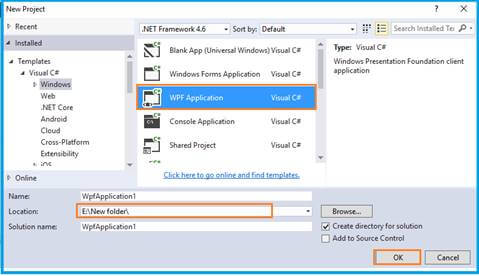 Select Windows templates, and choose the WPF Application. Then click “ok “after filling in the name and location. After you complete the solution explorer, it will load basic bundles.
 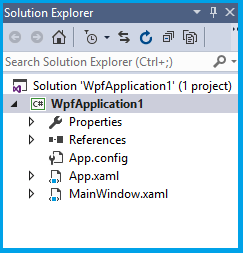 Open the ManiWindow.xaml file and Change it from
 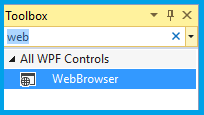 Then drag a web browser from the Toolbox to the Designer window.