AI links open with a title + excerpt (these tools can't fetch the page themselves) — use "Copy full article" to paste the complete text for a fuller summary.
Share:
What is ASP.NET Web API?
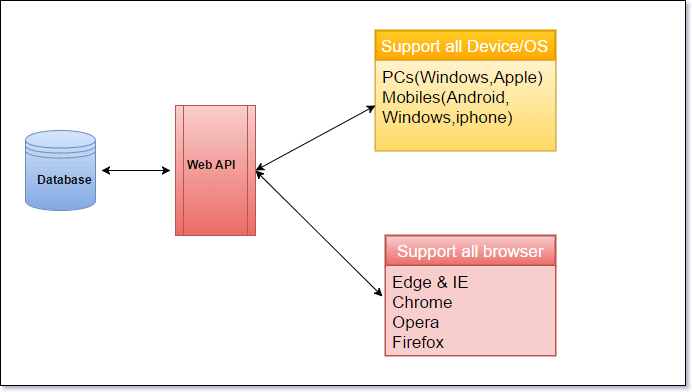
ASP.NET Web API is a framework to build Web API’s on the top of .NET framework, which makes it easy to build HTTP Services that comprises of range of clients, including mobile devices, all the Browsers & desktop Application. Web API is a similar to ASP.NET MVC, so it contains all MVC features.
Model
Control
Routing
Model binding
Filter
Dependency injections
HTTP is not just for serving Web pages. It is also a powerful platform to build RESTful (Representational state transfer) API’s that expose Services and data. HTTP is simple, flexible & ubiquitous.
Why to use ASP.NET Web API?
Web API can be used anywhere in a wide range of client applications (Window & Web), Mobile device & Browsers. Web API perfectly supports HTTP verbs (GET, POST, PUT, DELETE).
Create simple Web API to send a mail
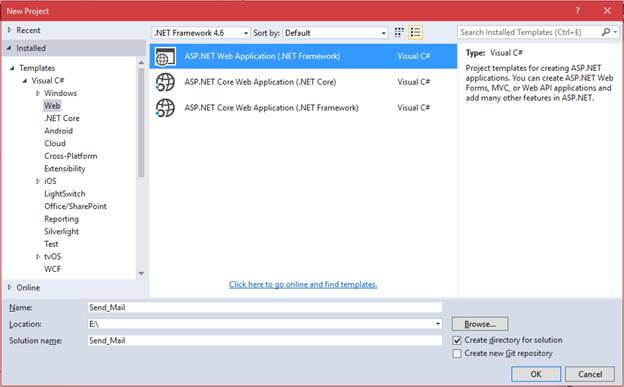
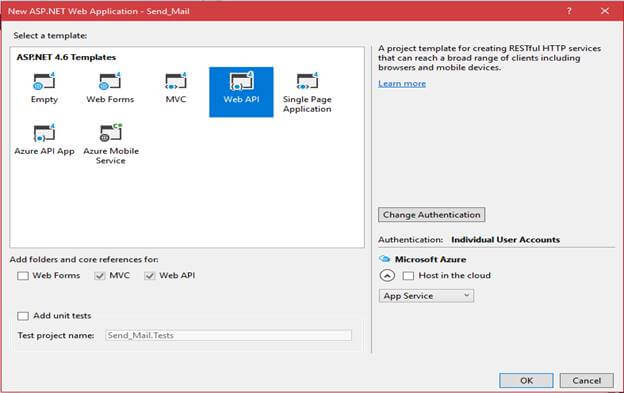
Open Visual studio 2015. Go to New Project-> Select Visual C# -> Web & choose the project type as ASP.NET Web Application in the popup. From the pop up given below, we will select the template as Web API. Once the project is created, add new API in the controllers folder.->Right click on controllers-> add controller. Now, add Scaffold & Create as API Controller “SendMailApiController” will appear. Using the namespace
using System.Net;
using System.Net.Http;
using System.Net.Http.Formatting;
using System.Web.Http;
using System.Net.Mail;
using System.Configuration;.
If namespace are missing in your project then add to use NuGet package manager. Write the code in your method.
[HttpPost]
public HttpResponseMessage SendMail(EmailConfigDetailsVM vm)
{
bool responce = false;
try
{
MailMessage mail = new MailMessage();
SmtpClient smtpServer = new SmtpClient();
string password = ConfigurationManager.AppSettings["password"];
mail.From = new MailAddress(ConfigurationManager.AppSettings["MailFrom"]);
string[] toRecipients = vm.ToRecipients.Split(',');
foreach (string toRecipient in toRecipients)
{
if (!string.IsNullOrEmpty(toRecipient))
mail.To.Add(new MailAddress(toRecipient));
}
public class EmailConfigDetailsVM //Create New Class file for arguments
{
public string ToRecipients { get; set; }
public string Body { get; set; }
public string Subject { get; set; }
}
Write Web.Config File I am using Gmail domain & configuring from Mail ID in the Web.config file.
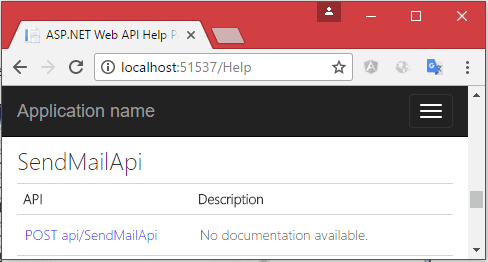
Once you run the Application, Web API REST Services are ready to consume. To call Web API method from
WPF (Native Application)
WebForm (Web Application)
Xamarin (Mobile Application)
Consume Web API in WPF(Native Application)
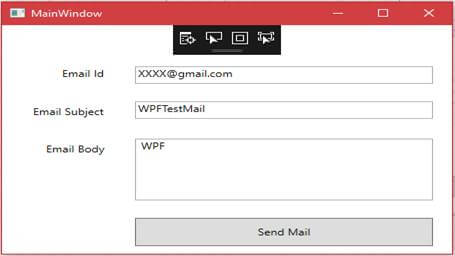
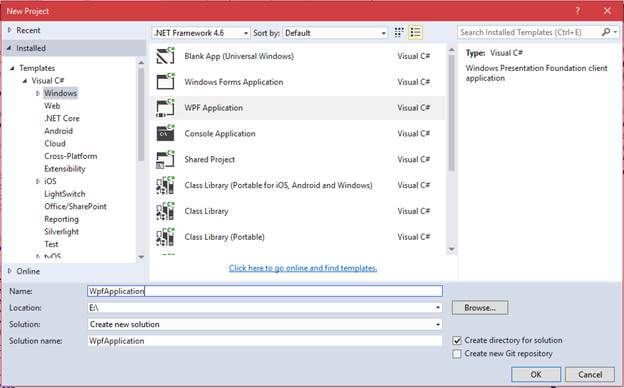
To create WPF Application ->New Project ->select Windows & choose WPF Application. Simply design the Windows, as shown below, using XAML code (e.x) getting parameters to Email id, Email subject & Email body.
 From the pop up given below, we will select the template as Web API.
  Once the project is created, add new API in the controllers folder.->Right click on controllers-> add controller. Now, add Scaffold & Create as API Controller “SendMailApiController” will appear.
 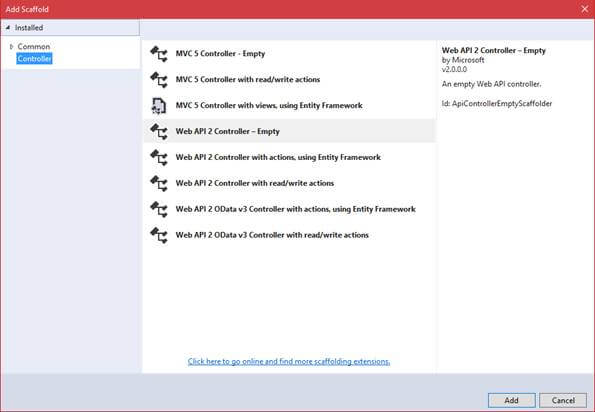 Using the namespace
 To call Web API method from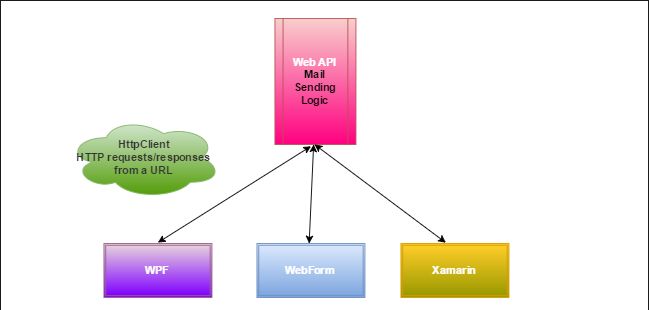
 Simply design the Windows, as shown below, using XAML code (e.x) getting parameters to Email id, Email subject & Email body.